7 High-Converting Multi Step Form Examples to Boost Leads in 2026
Learn practical form optimization strategies in this AgentsForForms guide: 7 High-Converting Multi Step Form Examples to Boost Leads in 2026.
Long forms are conversion killers. They overwhelm users, create friction, and lead to high abandonment rates, tanking your lead generation and onboarding efforts. The solution is simple yet powerful: break them into logical, manageable pieces. This approach taps into powerful psychological principles like 'commitment and consistency,' where getting a user to complete one small step makes them significantly more likely to finish the entire process. A well-designed multi-step form feels less like a chore and more like a guided conversation, boosting completion rates and improving data quality.
This guide dives deep into the strategy behind high-performing multi-step forms. We'll move beyond simple aesthetics and analyze the conversion-focused mechanics of 7 powerful multi step form examples from platforms like Typeform, Jotform, and Formstack. Each example includes a detailed breakdown with screenshots, highlighting what works, why it works, and how you can apply those tactics. You'll find actionable takeaways and quick prompts to help you build similar, conversion-optimized flows for lead gen, user onboarding, or support intake using a tool like AgentsForForms. Forget guesswork; these are replicable strategies for turning intimidating forms into engaging user experiences.
1. The SaaS Lead Qualification Form by AgentsForForms
The SaaS lead qualification form is a cornerstone of digital marketing, and this example from AgentsForForms perfectly illustrates why a multi-step approach is superior for capturing high-intent leads. Instead of confronting users with a daunting single-page form, it breaks the process into digestible, psychologically-driven steps. This strategy centers on the principle of gradual engagement, starting with low-commitment questions to build momentum before requesting sensitive contact information.
This approach is one of the most effective multi step form examples for SaaS because it aligns the user's journey with the business's need for qualified data. By asking about goals, company size, or user roles first, the form feels less like an interrogation and more like a guided consultation. This builds trust and leverages the sunk cost fallacy; users who have already invested time answering the initial questions are significantly more likely to complete the final, higher-friction step.
Strategic Breakdown
The power of this form lies in its carefully orchestrated user experience, designed to minimize friction and maximize completion rates.
- Strategic Question Ordering: The form begins with a simple, non-threatening question like "What's your primary goal?". This lowers the initial cognitive load and encourages the user to start the process. Personal details like name, email, and phone number are reserved for the final step, a critical conversion tactic.
- Clear Progress Indicators: A visual progress bar at the top manages user expectations, showing them exactly where they are in the process and how much is left. This simple UI element reduces anxiety and the likelihood of abandonment.
- Conversion-Focused Microcopy: Each step features clear, concise language. Buttons use action-oriented text like "Continue" or "Next Step" instead of a generic "Submit," creating a sense of forward momentum.
- Dynamic Lead Qualification: The form uses conditional logic to personalize the user's path. For example, a user from an enterprise-level company might see a question about their specific procurement process, while a startup user might be asked about their growth challenges. This ensures the data collected is highly relevant for sales team segmentation.
Key Insight: The primary goal isn't just to collect a lead; it's to qualify it. By using branching logic based on initial answers (like company size or industry), the form effectively triages leads in real-time, sending higher-quality prospects directly to the sales team.
Actionable Takeaways & Recreation
To replicate this high-performing SaaS lead form, focus on the psychological journey of the user.
- Map the Flow: Start by mapping your question flow from lowest friction (e.g., multiple-choice goal selection) to highest friction (contact details).
- Implement Conditional Logic: Use a tool like AgentsForForms to build branching paths. For example: IF
company_sizeis ">500", THEN show question "What is your budget?". - Craft Your Microcopy: Write clear, benefit-driven headlines for each step. For the email field, add helper text like "We'll send your demo link here," to provide context and reduce hesitation.
- A/B Test Your First Question: The first step is the most critical. Test different opening questions to see which one achieves the highest initial engagement rate.
This example from AgentsForForms demonstrates a masterful blend of user experience design and conversion rate optimization, making it an essential model for any SaaS company looking to improve its lead generation process.
2. Typeform
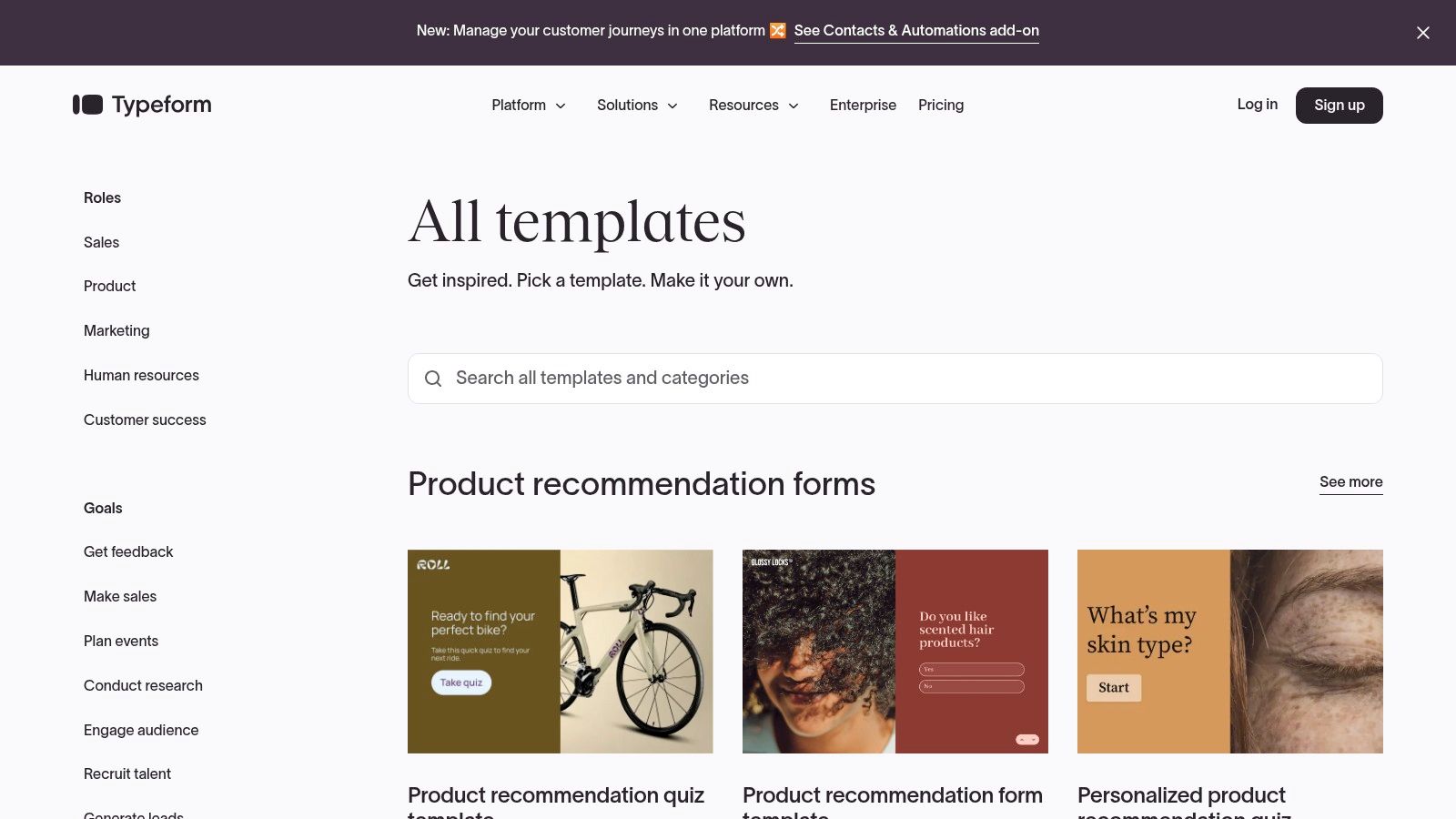
Typeform is a leading platform renowned for its conversational and engaging approach to data collection. It excels at transforming standard forms into interactive, one-question-at-a-time experiences, making it a benchmark for teams seeking modern, high-converting multi step form examples. Its core strength lies in its ability to reduce user friction and cognitive load, guiding respondents through a seamless, step-by-step process.
This polished user experience is what makes Typeform stand out. Instead of overwhelming users with a long list of fields, it presents questions individually, using smooth transitions and a clean interface. This approach is highly effective for lead generation, customer feedback, and complex surveys where maintaining user engagement is critical for completion rates.
Strategic Breakdown & Key Features
Typeform's design philosophy is built on making forms feel more like a conversation and less like an interrogation. This is achieved through a combination of thoughtful UX and powerful features.
- Extensive Template Library: Users can start quickly with hundreds of professionally designed templates for use cases like event registration, job applications, or marketing surveys.
- Logic Jumps: This feature allows you to create dynamic, branching forms that adapt based on user answers. It shows relevant questions and skips irrelevant ones, personalizing the experience and improving data quality.
- Customization: While advanced branding is on higher tiers, even free plans offer significant theme and styling options to match your brand's look and feel.
Pricing and Access
Typeform operates on a freemium model. The Free plan is a great starting point but comes with limits on responses (10/month) and features. Paid plans include:
- Basic: Starting at $25/month, offering 100 responses/month and simple logic jumps.
- Plus: Starting at $50/month, providing 1,000 responses/month, custom branding options, and more advanced features.
- Business: Starting at $83/month, with 10,000 responses/month and conversion tracking integrations.
Actionable Takeaway
For teams prioritizing user experience and engagement above all else, Typeform is an excellent choice. Its one-question-at-a-time format is a powerful tool for longer forms where drop-off is a concern. Start with a template from their gallery to see how a conversational flow can be applied to your specific use case.
Website: https://www.typeform.com/templates/
3. Jotform
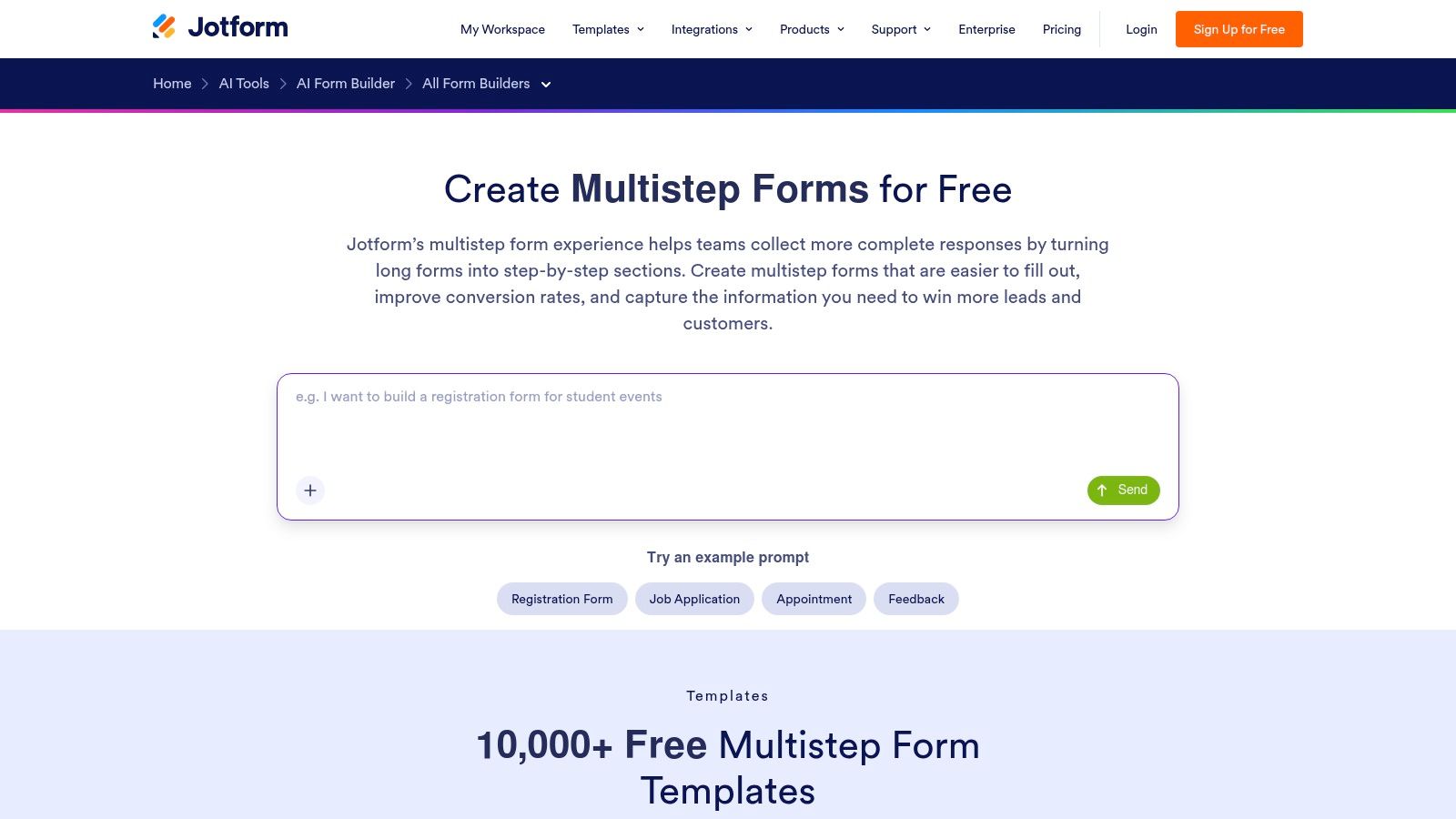
Jotform is a versatile and highly accessible form builder known for its immense library of templates and flexible design options. It stands as a powerful resource for anyone looking for multi step form examples because it offers two distinct approaches: the traditional multi-page "Classic" layout and the modern, one-question-at-a-time "Card" layout. This dual capability makes it a practical choice for a wide range of use cases, from detailed applications to quick feedback surveys.
The platform's key strength is its sheer volume of ready-made solutions, which significantly lowers the barrier to entry for creating complex forms. Whether you need a comprehensive event registration form with multiple sections or a simple lead capture flow, Jotform provides a pre-built foundation that can be customized and deployed in minutes, making it a go-to for teams needing both speed and functionality.
Strategic Breakdown & Key Features
Jotform empowers users to build sophisticated forms without needing to code, focusing on practicality and a vast feature set that supports complex data collection needs.
- 10,000+ Template Library: Its most significant advantage is the enormous collection of templates, covering nearly every industry and use case imaginable. This allows users to find a relevant starting point instantly.
- Classic vs. Card Layouts: Users can choose between traditional forms with page breaks (Classic) or a more conversational, one-question-per-page flow (Cards), providing flexibility to match the form's purpose.
- Conditional Logic: Easily create smart, dynamic forms that show or hide fields, skip pages, or perform calculations based on user responses. This personalizes the user journey and improves completion rates.
- Progress Indicators: Both layouts feature clear progress bars, which help manage user expectations and reduce form abandonment by showing them how close they are to completion.
Pricing and Access
Jotform uses a freemium model with generous starting limits, making it highly accessible.
- Free: Allows up to 5 forms, 100 monthly submissions, and includes Jotform branding.
- Bronze: Starting at $34/month, it offers 25 forms, 1,000 monthly submissions, and removes Jotform branding.
- Silver: Starting at $39/month, providing 50 forms and 2,500 monthly submissions.
- Gold: Starting at $99/month, for 100 forms and 10,000 monthly submissions.
Actionable Takeaway
Jotform is the ideal solution for teams that need to deploy a wide variety of multi-step forms quickly and without a steep learning curve. Its massive template library is its greatest asset. Start by searching their library for your specific use case, find the closest match, and then decide whether the Classic or Card layout best fits the user experience you want to create.
Website: https://www.jotform.com/multi-step-forms/
4. Paperform
Paperform is a versatile no-code builder celebrated for its powerful customization and flexibility in creating forms, surveys, and landing pages. It strikes a balance between guided, single-question flows and traditional multi-page layouts, offering a robust solution for teams needing highly configurable multi step form examples. Its strength is giving builders deep control over the user journey, from logic and visibility to progress indicators.
This granular control makes Paperform a strong contender for complex scenarios like product configuration, detailed quotes, and conditional onboarding. Users can choose between a "one-question-at-a-time" guided mode or a standard multi-page format, allowing them to tailor the form's pacing to the specific use case and audience, optimizing for both clarity and conversion.
Strategic Breakdown & Key Features
Paperform’s approach empowers creators to build forms that are as simple or as complex as needed, without sacrificing a clean user experience. This is achieved through its powerful backend and intuitive editor.
- Guided vs. Multi-Page Modes: You can toggle between a conversational, one-question flow and a traditional paged form, providing flexibility that many competitors lack.
- Conditional Logic: Easily show or hide questions, pages, or even success messages based on user responses. This is ideal for creating smart, personalized paths that reduce friction.
- Detailed UI Controls: Customize progress bars, navigation buttons, and auto-advance settings to fine-tune the step-by-step experience and manage user expectations.
Pricing and Access
Paperform offers a tiered subscription model with a 14-day free trial to test all features.
- Essentials: Starting at $24/month, this plan includes unlimited forms and 1,000 submissions/month.
- Pro: Starting at $49/month, it adds features like calculations, e-signatures, and advanced logic.
- Agency: Starting at $159/month, this tier is for power users and includes custom domains and priority support.
Actionable Takeaway
Paperform is an excellent choice for teams that need more control over form structure than what conversational-only tools offer. Its hybrid approach is perfect for building sophisticated multi-step forms with complex logic. Use its conditional visibility rules to create a "smart" intake form that only shows relevant sections to different user personas, streamlining data collection.
Website: https://paperform.co/pricing/
5. Formstack
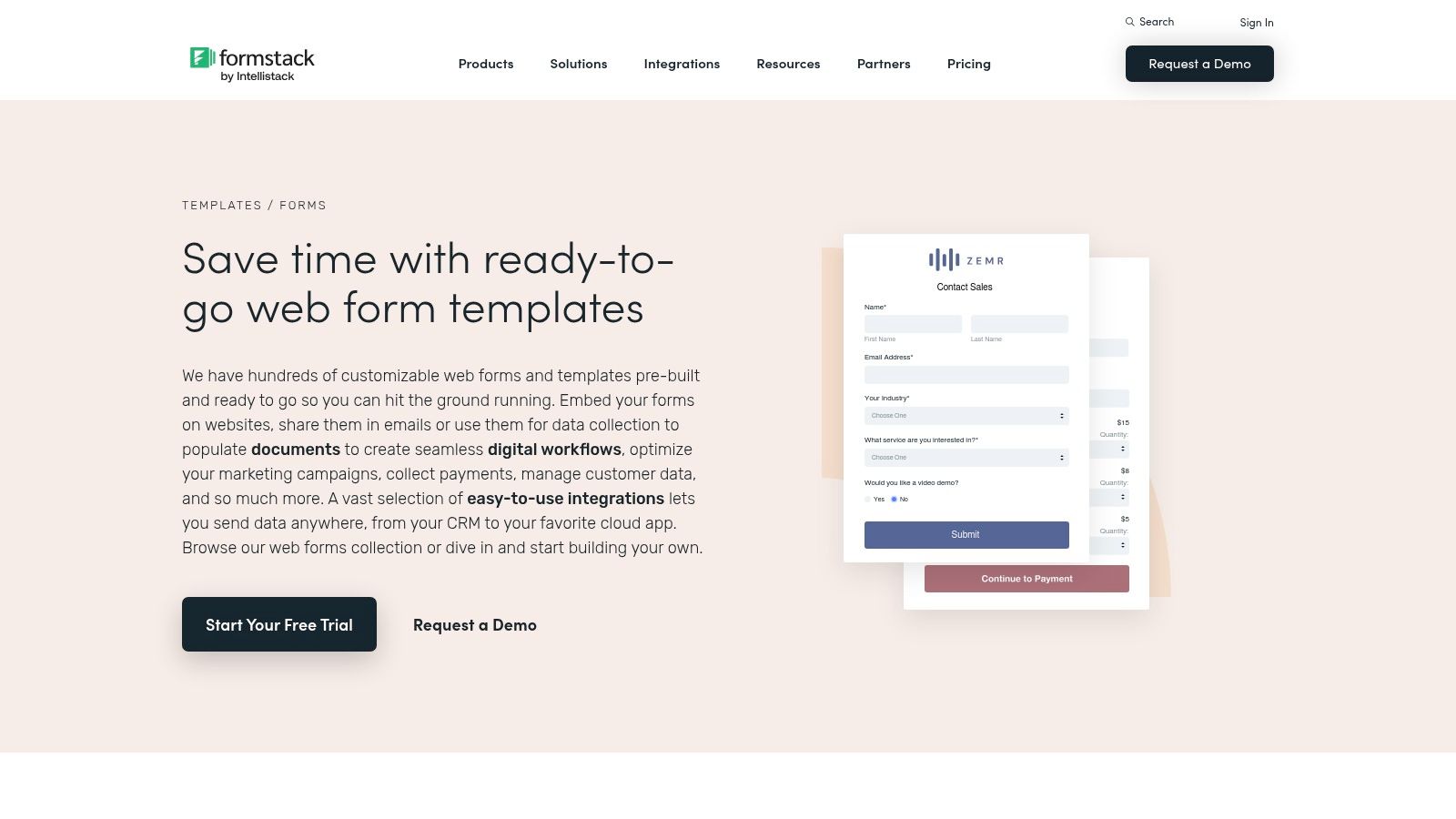
Formstack is a powerful, enterprise-grade platform designed for creating secure and compliant data collection workflows. It excels at building sophisticated multi-page forms that are ideal for regulated industries and complex internal processes. For organizations seeking robust multi step form examples that integrate with larger business operations, Formstack provides the necessary tools for security, compliance, and workflow automation. Its strength lies in its ability to handle multi-participant processes, routing forms from one person to another for approvals and inputs.
This workflow-centric approach is what sets Formstack apart. While many builders focus solely on the initial data capture, Formstack manages the entire lifecycle of the information. This makes it a go-to solution for HR departments, healthcare providers, and financial institutions that need to create processes like employee onboarding, patient intake, or loan applications where data must pass through several hands securely.
Strategic Breakdown & Key Features
Formstack is built for businesses that require more than just a simple form; they need an integrated system for data management and process automation.
- Workflow Automation: This core feature allows you to build forms that automatically route submitted data to different team members for review, approval, or additional input, creating a seamless end-to-end process.
- Compliance & Security: Formstack offers features like HIPAA compliance and SSO, making it a strong choice for organizations handling sensitive data that must adhere to strict regulatory standards.
- Integrated Documents & E-Signatures: You can connect forms to document generation and e-signature workflows, allowing you to automatically create contracts, agreements, or reports from form data.
- Templates for Industries: The platform includes a catalog of templates tailored for specific sectors like healthcare, education, and finance, providing a solid starting point for complex forms.
Pricing and Access
Formstack's pricing reflects its enterprise focus, with plans structured around specific product suites (Forms, Documents, Sign). The Forms suite includes:
- Starter: Beginning at $50/month, offering basic form creation for single users.
- Teams: Starting at $83/month, adding collaboration features and more robust integrations.
- Pro: Starting at $208/month, providing advanced user permissions and dedicated support.
- Enterprise: Custom pricing for organizations needing advanced compliance, security, and API access.
Actionable Takeaway
Formstack is the ideal choice for organizations where forms are a critical part of a larger, multi-step business process, especially in regulated industries. If your workflow requires approvals, data routing between departments, or integration with document signing, Formstack’s platform is built to handle that complexity. Start by exploring their industry-specific templates to understand how a workflow-driven form can streamline your internal operations.
Website: https://www.formstack.com/online-forms/templates
6. Tailwind Plus (formerly Tailwind UI)
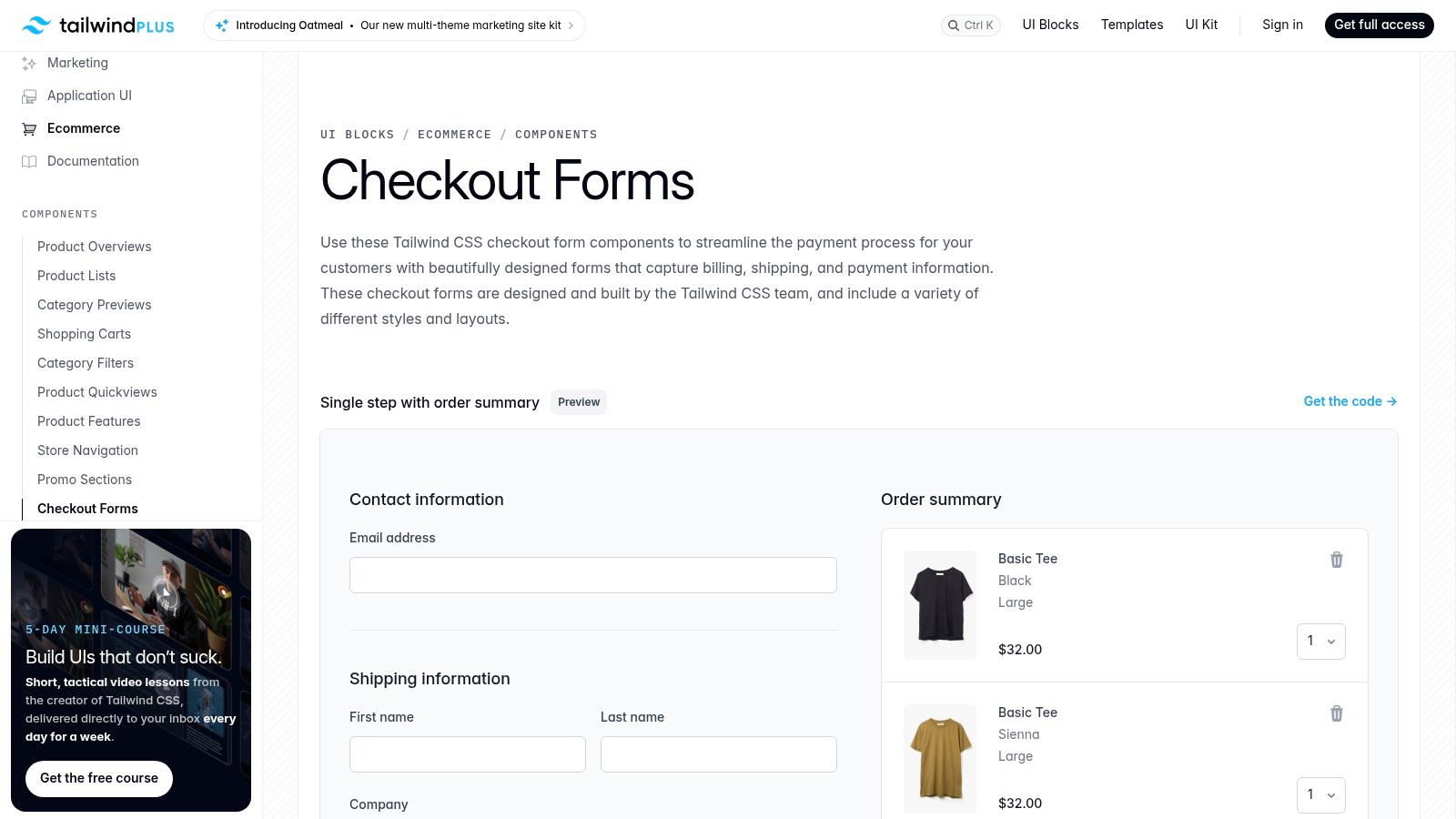
For development teams that prefer building their own solutions, Tailwind Plus provides production-ready UI components, including excellent multi step form examples. It is not a SaaS form builder, but a premium library of HTML and React components built on the popular Tailwind CSS framework. Its primary value is offering developers high-quality, accessible, and beautifully designed building blocks to create custom multi-step forms directly within their applications.
Tailwind Plus stands out by catering directly to engineers who want full control over their front-end without starting from scratch. Instead of a hosted tool, you get copy-and-paste code for complex components like checkout flows, multi-page settings forms, and onboarding sequences. This approach is ideal for teams who need to deeply integrate forms into their product’s user experience and design system while accelerating development time.
Strategic Breakdown & Key Features
Tailwind Plus focuses on providing the foundational code and design patterns, giving developers the freedom to implement their own logic and backend integrations.
- Production-Grade Components: Offers professionally designed and coded multi-step forms, particularly for e-commerce checkouts and complex application settings.
- Accessibility First: The components are built with accessibility best practices (like proper ARIA attributes), ensuring your forms are usable by everyone.
- Developer-Friendly Code: Provides clean, copyable examples for both plain HTML and React projects, making integration into a Tailwind CSS-based tech stack seamless.
Pricing and Access
Tailwind Plus operates on a one-time purchase model, which grants lifetime access to the components.
- All-Access: A one-time payment of $299 provides lifetime access to all current and future UI components, including the multi-step form and checkout examples. This is not a subscription, making it a cost-effective choice for teams planning long-term use.
Actionable Takeaway
If your team is already using Tailwind CSS and needs to build custom, deeply integrated multi-step forms, Tailwind Plus is an invaluable resource. It's a "buy, don't build" accelerator for your UI development. Browse their e-commerce component examples to see how a well-structured, multi-step checkout flow can be implemented with best-in-class code.
Website: https://tailwindcss.com/plus/ui-blocks/ecommerce/components/checkout-forms
7. CodeCanyon (Envato)
CodeCanyon, part of the Envato marketplace, serves a unique niche for developers and technically-savvy teams. It is a vast repository of purchasable code scripts and plugins, offering a wide array of pre-built multi-step form wizards. This makes it a go-to resource for those who prefer to host and maintain their own code rather than subscribing to a SaaS platform, providing great multi step form examples for self-hosted implementation.
The primary appeal of CodeCanyon is the ability to acquire a feature-rich, multi-step component for a one-time fee. Instead of monthly subscriptions, users can purchase a script or plugin and integrate it directly into their existing website or application. This is ideal for projects with specific technical requirements or for those wanting complete control over their form's code, data, and infrastructure.
Strategic Breakdown & Key Features
CodeCanyon provides the raw components for developers to build upon, offering a fast track to deploying complex forms without starting from scratch.
- Diverse Technology Stacks: Find multi-step form wizards built with pure HTML/JS/CSS, PHP, or as plugins for popular CMS platforms like WordPress (e.g., Contact Form 7 extensions).
- Specialized Use Cases: Many scripts are tailored for specific functions like complex price calculators, booking systems, or detailed quote request forms, often with built-in validation and progress indicators.
- Live Demos and Reviews: Most items include live previews, allowing you to test the user experience before purchasing. User ratings and author reviews provide critical insight into code quality and support.
Pricing and Access
CodeCanyon operates on a one-time purchase model for each script or plugin. Prices vary by author and complexity but are generally very affordable.
- One-Time Cost: Most multi-step form scripts and plugins range from 50.
- Included Support: A standard purchase typically includes 6 months of support from the author, with options to extend.
- Lifetime Updates: Buyers usually receive access to future updates for the item they purchased at no additional cost.
Actionable Takeaway
If your team has development resources and requires full control over the form's code and data, CodeCanyon is an excellent starting point. It's the fastest way to acquire a functional, styled, and validated multi-step form component without committing to a recurring platform fee. Always check an item's live demo, recent updates, and author ratings before purchasing to ensure it meets your quality standards.
Website: https://codecanyon.net/search/multi%20step%20form
7-Tool Multi-Step Form Comparison
| Tool | Implementation Complexity 🔄 | Resources & Effort ⚡ | Expected Outcomes ⭐ | Ideal Use Cases 💡 | Key Advantages 📊 |
|---|---|---|---|---|---|
| AgentsForForms | Low → AI generates multi‑step forms; minor review for niche cases 🔄 | Low → Browser-based; free tier to evaluate; paid for enterprise features ⚡ | ⭐⭐⭐⭐ — Fast time‑to‑live, improved conversion & data quality | Product/marketing lead gen, support intake, HR surveys, events 💡 | AI‑first creation, conversion‑optimized templates, 100+ integrations, enterprise controls 📊 |
| Typeform | Low → No‑code builder with polished conversational flow 🔄 | Moderate → Browser use; advanced logic/branding on higher tiers ⚡ | ⭐⭐⭐ — High UX quality; better completion on long forms | Conversational surveys, lead capture where UX matters 💡 | Polished one‑question UX, large template gallery, easy styling 📊 |
| Jotform | Low → Drag‑and‑drop, many ready templates; simple multi‑step modes 🔄 | Low → Generous free plan; paid tiers remove branding and add limits ⚡ | ⭐⭐⭐ — Rapid deployment across many form types | SMBs needing many templates and community support 💡 | 10,000+ templates, Classic & Card modes, strong help resources 📊 |
| Paperform | Low–Medium → No‑code with detailed step controls and docs 🔄 | Low–Moderate → Reasonable pricing; advanced features on paid plans ⚡ | ⭐⭐⭐ — Flexible, conversion‑focused multi‑step flows | Teams wanting guided one‑at‑a‑time forms with fine controls 💡 | Guided auto‑advance, clear docs, conditional visibility & progress UI 📊 |
| Formstack | Medium–High → Enterprise workflows, approvals and compliance setup 🔄 | High → Enterprise pricing, add‑ons (SSO, e‑sign), implementation effort ⚡ | ⭐⭐⭐⭐ — Strong compliance, workflow automation, enterprise readiness | Large organizations needing approvals, e‑signing, and compliance workflows 💡 | Workflow routing, templates across industries, SSO & document integrations 📊 |
| Tailwind Plus | High → Developer integration; copyable components require dev work 🔄 | Moderate → One‑time purchase; requires Tailwind stack and developer time ⚡ | ⭐⭐⭐⭐ — Production‑grade UI and accessibility for apps | Engineering teams building custom apps/checkouts who want high‑quality UI 💡 | Accessible, best‑practice Tailwind components; fast front‑end shipping 📊 |
| CodeCanyon (Envato) | Varies → Drop‑in plugins or code; quality depends on author 🔄 | Low → Low one‑time cost but you host/maintain and update yourself ⚡ | ⭐⭐–⭐⭐⭐ — Fast implementation but variable long‑term reliability | Developers who want cheap, ready multi‑step wizards to self‑host 💡 | Wide selection across stacks, live demos, low upfront cost 📊 |
From Examples to Execution: Build Your First High-Converting Form in 60 Seconds
We've explored a wide array of powerful multi step form examples, from sleek lead generation flows to comprehensive user onboarding sequences. Across all the tools we examined, a clear pattern emerges: success hinges on transforming a daunting data request into an inviting, conversational journey. The most effective forms don't just ask questions; they guide the user.
The core principles we've uncovered are universal. Gradual engagement, clear progress indicators, and intelligent conditional logic are not just design trends; they are foundational to boosting completion rates. By breaking down complex information into digestible chunks, you respect the user's time and cognitive load, a principle that applies whether you're using Typeform's conversational interface or a custom-coded solution from Tailwind UI.
Key Takeaways for Your Next Form
Recapping our analysis, remember these crucial strategies:
- Psychological Momentum: Start with easy, low-commitment questions. This builds momentum and makes users more likely to complete the entire form, as seen in the best lead qualification examples.
- Visual Progress is Non-Negotiable: Users need to know where they are in the process and how much is left. Progress bars, step counters, and visual cues are essential for managing expectations and reducing abandonment.
- Embrace Conditional Logic: Don't ask irrelevant questions. Use branching logic to create a personalized path for each user, ensuring they only see fields that apply to them. This makes the experience feel tailored and efficient.
- Mobile-First is Mandatory: The majority of users will likely encounter your form on a mobile device. Every example we praised prioritized a clean, touch-friendly, and responsive design.
Choosing Your Tool and Taking Action
Now, the critical step is moving from inspiration to implementation. Your choice of tool will depend on your specific needs. Are you a developer seeking maximum customization? Tailwind Plus or a CodeCanyon script might be your best bet. Do you need a robust, all-in-one solution with deep integrations? Tools like Jotform, Formstack, and Paperform offer extensive features.
However, for teams focused on speed, efficiency, and leveraging the latest technology, the landscape is changing. The barrier to creating sophisticated, high-converting forms is lower than ever. You no longer need to manually map out every step, write complex logic rules, or meticulously design each screen. AI-powered platforms are revolutionizing this process, allowing you to focus on the goal rather than the mechanics.
By applying the strategic insights from these multi step form examples, you can significantly improve your data collection, enhance the user experience, and drive better business outcomes. The key is to start small, test your approach, and iterate based on user behavior. Don't let form friction be the reason you lose another valuable lead or frustrate a new customer.
Ready to build a smarter form in a fraction of the time? AgentsForForms lets you describe your ideal multi-step form in plain English and uses AI to generate the entire flow, logic, and design in seconds. Stop wrestling with builders and start converting by visiting AgentsForForms to create your first intelligent form for free.